How to Back Up Your Data in 5 Easy Steps

Why Backing Up Your Data Matters

Imagine losing years' worth of photos, important emails, or critical work files in an instant. It's a nightmare scenario, but it's one that can be easily avoided with regular data backups. Backing up your data not only protects you from hardware failures and cyber threats but also gives you peace of mind knowing that your information is safe. Plus, with the variety of backup methods available today, there's no excuse not to have a backup plan in place.


Choose Your Backup Method

The first step in backing up your data is deciding where to store your backups. There are several options available, each with its own pros and cons.

  • External Hard Drives: These are a popular choice because they are affordable and offer plenty of storage space. Simply connect the drive to your computer to transfer files. However, keep in mind that physical drives can fail or be damaged, so it's a good idea to have more than one backup method.

  • Cloud Storage: Services like Google Drive, Dropbox, and iCloud offer a convenient way to back up data online. These services automatically sync your files, ensuring that your data is always accessible from anywhere. It is important to choose a reputable provider and use strong passwords to protect your account.

  • Network-Attached Storage (NAS): For those with a large amount of data, a NAS device can be an excellent solution. These are essentially personal cloud systems that allow you to store and access data over a local network, keeping your information on-site.


Organize Your Files

Before you start the process, organize your files to make the backup more efficient and ensure no important data is missed.

  • Create a Folder Structure: Use a clear hierarchy on your computer. Group related files together and use descriptive names. For example, maintain separate folders for work documents, personal photos, and financial records.

  • Delete Unnecessary Files: Take time to go through your files and remove duplicates, old downloads, or temporary files. This frees up space on your backup device and makes it easier to navigate your archives.

  • Use File Naming Conventions: Consistent naming helps you keep track of documents. Use a standard format that includes a clear description of the content. This ensures that your files are sorted logically and stay easy to find.


Set Up Automatic Backups

Manually backing up data can be time-consuming and easy to forget. Setting up automation is a crucial step in ensuring continuous protection.

  • Use Built-in Backup Tools: Most operating systems include tools like File History for Windows or Time Machine for macOS. These allow you to schedule regular updates and choose specific folders to include.

  • Configure Cloud Storage Sync: If you use a cloud service, ensure the sync settings are active. This ensures that your data is uploaded as soon as changes are made.

  • Schedule Regular Cycles: Even with automation, establish a routine for backups. Depending on how often your files change, you might choose a daily, weekly, or monthly cycle. The key is to find a frequency that works for your workflow and stick to it.


Verify Your Backups

Setting up backups is only half the task. It is equally important to verify that the system is working correctly and that data can be restored.

  • Check Backup Logs: Most tools provide reports on the status of your backups. Regularly review these to ensure they are completing successfully without errors.

  • Test Restore Procedures: Periodically test your ability to recover data. Choose a few files and try restoring them to a different location. This gives you confidence that the backup is functional.

  • Monitor Storage Space: Keep an eye on the available capacity of your device or cloud account. Enable notifications to receive alerts when space is running low, so you can delete old archives or upgrade your plan.


Keep Your Backups Secure

Protect your backups from unauthorized access or physical loss to ensure total security.

  • Use Strong Passwords: For cloud storage or NAS devices, use unique and complex passwords. A password manager can help generate and store these securely.

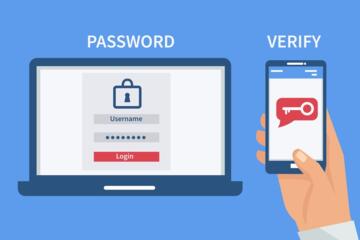
  • Enable Two-Factor Authentication: This adds an extra layer of security by requiring a second form of verification. Enable this feature on all backup-related accounts.

  • Store Backups in a Safe Location: If you use physical drives, keep them in a secure spot, such as a fireproof safe or a locked cabinet. This protects your data from physical damage or theft.


Final Thoughts: Consistency is Key

Backing up your data is a crucial step in protecting your digital life. By following these methods, you can ensure that your information is secure regardless of hardware issues. Success depends on consistency: set up your tools, verify them regularly, and maintain high security standards. Start today to ensure a more secure digital future.


Related Articles

How to Back Up Your Data in 5 Easy Steps

In today's digital age, our lives are stored on our devices. From precious family photos to important work documents, losing this data can be devastating. Yet, many of us postpone backing up our data until it's too late. Whether it's a hardware failure, a malicious cyberattack, or simply an accidental deletion, data loss can happen to anyone. The good news is that backing up your data is easier than you think. In this article, we'll walk you through five simple steps to ensure your data is safe and secure.

How-To

mysearchgo_com.pages.index.article.read_more

How to Create a Budget You’ll Actually Stick To

Let’s be honest—“budgeting” often sounds like a punishment. No coffee. No fun. Just spreadsheets, guilt, and a nagging feeling you’re doing it wrong. But here’s the truth: a budget isn’t a cage—it’s a plan for freedom. It helps you take control of your money, stop living paycheck to paycheck, and actually afford the things you care about. The problem isn’t making a budget. The problem is making one you’ll stick to. If your past budgeting attempts have fallen apart after two weeks, you’re not alone. The good news? You can build a realistic, flexible budget that works with your life—not against it.

How-To

mysearchgo_com.pages.index.article.read_more

How to Learn a New Language in 3 Months

Have you ever dreamed of speaking a new language fluently? Maybe you're planning a trip abroad, looking to boost your career prospects, or simply want to challenge yourself. Whatever your reason, learning a new language can be an incredibly rewarding experience. But let's face it, the thought of mastering a new language can also be daunting. The good news is that with the right approach and a bit of dedication, you can make significant progress in just three months. Yes, you read that right—three months! In this article, we'll guide you through a step-by-step plan to help you learn a new language quickly and effectively.

How-To

mysearchgo_com.pages.index.article.read_more

How to Change a Flat Tire Step by Step

Imagine this—you’re driving to work, music playing, coffee in the cupholder... then thump-thump-thump. You pull over, and yep—flat tire. It's something no one wants to deal with, but it happens to everyone eventually. The good news? You can change a flat tire yourself—even if you’ve never touched a jack before. All it takes is some basic knowledge, a few tools, and a little confidence. This step-by-step guide will walk you through the process in a clear and beginner-friendly way.

How-To

mysearchgo_com.pages.index.article.read_more

Latest Articles

How to Create a Budget You’ll Actually Stick To

Let’s be honest—“budgeting” often sounds like a punishment. No coffee. No fun. Just spreadsheets, guilt, and a nagging feeling you’re doing it wrong. But here’s the truth: a budget isn’t a cage—it’s a plan for freedom. It helps you take control of your money, stop living paycheck to paycheck, and actually afford the things you care about. The problem isn’t making a budget. The problem is making one you’ll stick to. If your past budgeting attempts have fallen apart after two weeks, you’re not alone. The good news? You can build a realistic, flexible budget that works with your life—not against it.

How-To

Read »

How to Set Up Two-Factor Authentication on Your Phone (And Why You Should)

Imagine this: You wake up one morning to find your email, social media, and even bank accounts hacked. Someone changed your passwords, locked you out, and now you’re scrambling to recover your digital life. Scary, right? The good news? You can prevent this nightmare with two-factor authentication (2FA)—a simple but powerful security feature that adds an extra layer of protection to your accounts. In this guide, we’ll walk you through how to set it up on your phone, why it matters, and some pro tips to stay secure.

How-To

Read »

How to Organize Your Closet Like a Pro

Have you ever opened your closet door and felt overwhelmed by the chaos staring back at you? You're not alone. A disorganized closet can be a daily source of frustration, making it difficult to find what you need and adding unnecessary stress to your morning routine. But fear not! Organizing your closet like a pro is not only achievable but can also be a rewarding and even enjoyable process. With a little planning and effort, you can transform your closet into a well-organized, functional space that makes getting dressed a breeze.

How-To

Read »

How to Change a Flat Tire Step by Step

Imagine this—you’re driving to work, music playing, coffee in the cupholder... then thump-thump-thump. You pull over, and yep—flat tire. It's something no one wants to deal with, but it happens to everyone eventually. The good news? You can change a flat tire yourself—even if you’ve never touched a jack before. All it takes is some basic knowledge, a few tools, and a little confidence. This step-by-step guide will walk you through the process in a clear and beginner-friendly way.

How-To

Read »

How to Back Up Your Data in 5 Easy Steps

In today's digital age, our lives are stored on our devices. From precious family photos to important work documents, losing this data can be devastating. Yet, many of us postpone backing up our data until it's too late. Whether it's a hardware failure, a malicious cyberattack, or simply an accidental deletion, data loss can happen to anyone. The good news is that backing up your data is easier than you think. In this article, we'll walk you through five simple steps to ensure your data is safe and secure.

How-To

Read »

How to Brew the Perfect Cup of Coffee at Home

We’ve all been there—bleary-eyed in the morning, reaching for the coffee pot only to end up with a bitter, burnt, or downright bland cup. And yet, brewing coffee at home should be easy. It should be comforting, even enjoyable. But too often, it feels like a guessing game between grind size, water temperature, and mysterious coffee ratios. The good news? You don’t need to be a barista or own a $500 espresso machine to make a satisfying cup of coffee. With a few smart choices and a bit of attention to detail, you can turn your morning routine into a daily ritual of deliciousness.

How-To

Read »