Should You Switch to a Password Manager?

The State of Cybersecurity Risks

The biggest cybersecurity risk today isn’t a high-tech hacker — it’s bad password habits. Most people reuse the same password across multiple sites. If even one of those sites is hacked, your other accounts become vulnerable in seconds. Common issues include weak or guessable passwords, reusing the same password everywhere, storing passwords in unencrypted notes, and the constant need to reset forgotten credentials. Password managers offer a real solution to these everyday problems.


Understanding Password Managers

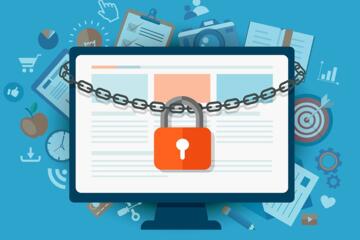
A password manager is a secure app or browser extension that stores all your passwords in one encrypted place. You only need to remember one master password, and the manager takes care of the rest — filling in login details, generating strong passwords, and alerting you to breaches. Think of it as a digital vault: one lock (your master password) with dozens of keys (your saved logins) inside.


Top Benefits of Using a Password Manager

1. Create Strong, Unique Passwords Instantly Good password managers generate random, complex passwords that are almost impossible to guess. While these strings of characters are impossible to memorize, the manager ensures you don't have to.

2. Stop Reusing Passwords Across Accounts Each login can have its own unique password, drastically lowering your risk. Even if one site is compromised, the rest stay safe.

3. Access Passwords Across All Devices Most managers sync across your phone, tablet, and computer. If you need a login on a different device, you can access it through the app with one tap.

4. Auto-Fill Login Forms Quickly and Securely This technology eliminates the need for typing out long passwords or hunting for physical notes. Password managers fill in your credentials in seconds.

5. Monitor for Data Breaches Many managers include breach alerts. If your login info appears in a known leak, you’ll be notified so you can change it.


Popular Password Managers to Consider

  • Bitwarden: Open-source, secure, and has a plan that covers most needs.

  • 1Password: Intuitive design, family sharing, and strong security features.

  • Dashlane: Includes a built-in password health checker and dark web monitoring.

  • LastPass: Easy to use, with features that accommodate various user types. Choose one that works well with your preferred browser and devices. Most offer trials to help you decide before committing.


Implementation Process

Step 1: Choose Your Password Manager Pick one that matches your needs and install it on your devices.

Step 2: Create a Strong Master Password This is the only password you’ll need to remember. Make it long and unique by using a memorable phrase rather than a single word.

Step 3: Import or Add Existing Passwords Most managers can import saved passwords from your browser or let you manually add accounts over time.

Step 4: Start Generating and Updating Passwords As you log into sites, replace weak or reused passwords with stronger ones. The manager will save them automatically.


Common Concerns and Security Realities

Security of the Manager Most reputable managers use zero-knowledge encryption, meaning even the company cannot see your data. Your vault is encrypted and only unlocked by your master password.

Master Password Recovery Some apps offer recovery options like biometric unlock or backup codes. It is advisable to write your master password down and store it in a secure physical location.

Long-term Value Once set up, this system saves time and reduces stress. It is a one-time change that increases your security during every digital interaction.


Final Thoughts: Security as a Habit

Passwords remain a central part of digital life, but the associated complications can be eliminated. Using a password manager simplifies your digital routine while dramatically improving your online security.


Related Articles

The Rise of Smart Homes: What You Should Know

Imagine walking into your house after a long day and the lights turn on just the way you like them. Your favorite playlist starts playing, the thermostat adjusts to your ideal temperature, and your security camera confirms all’s well — without you lifting a finger. This isn’t the future — it’s now. Smart homes are no longer the stuff of sci-fi. They're increasingly affordable, accessible, and practical. But as more devices connect to the internet and our daily routines, many people still ask: What exactly is a smart home? And do I need one? This guide breaks down everything you need to know about smart homes — including benefits, concerns, and how to get started — in a clear and friendly way.

Technology

mysearchgo_com.pages.index.article.read_more

Why Everyone’s Talking About Quantum Computing

You’ve probably heard the buzz: quantum computing is the future. But what does that actually mean? Is it just hype, or is something big really happening? And more importantly — why should the average person care? The truth is, quantum computing is no longer science fiction. It’s a fast-moving field that could completely reshape industries from healthcare to finance to cybersecurity. If the term has left you feeling confused or overwhelmed, you're not alone — but understanding the basics can help you stay ahead of the curve in a world where information is power.

Technology

mysearchgo_com.pages.index.article.read_more

Top 5 Free Tools to Boost Your Digital Productivity

We’ve all had those days: the to-do list keeps growing, the inbox overflows, and somehow, even after hours of screen time, nothing feels done. In a digital world full of distractions, staying productive isn’t just about working harder — it’s about using the right tools to work smarter. The good news? You don’t need a premium subscription or fancy software to get organized and efficient. There are powerful, completely free tools out there that can supercharge your workflow and help you reclaim your focus. Let’s dive into five of the best free tools that can genuinely boost your digital productivity — and how to make the most of each.

Technology

mysearchgo_com.pages.index.article.read_more

The Best AI Tools for Everyday Use in 2026

In a world where we juggle overflowing inboxes, back-to-back meetings, endless to-do lists, and the need to stay informed — AI is no longer just a buzzword. It’s a lifeline. Whether you're a student, freelancer, small business owner, or just trying to get through your day a little smoother, the right AI tools can save time, reduce stress, and boost productivity. But with so many tools out there, where should you start? This article explores the best AI tools in 2026 that are practical, easy to use, and can make your daily life noticeably better.

Technology

mysearchgo_com.pages.index.article.read_more

Latest Articles

How Blockchain Is Changing More Than Just Finance

When most people hear “blockchain,” they think of Bitcoin or cryptocurrencies. But that’s just the tip of the iceberg. Blockchain — the underlying technology that powers cryptocurrencies — is quietly reshaping industries far beyond finance. From supply chains to voting systems, it’s offering new levels of transparency, security, and efficiency that traditional systems simply can’t match. So if you're wondering "Is blockchain really useful outside of money?", the answer is a resounding yes. And understanding how it's being used can open your eyes to opportunities you may not have considered.

Technology

Read »

Why Everyone’s Talking About Quantum Computing

You’ve probably heard the buzz: quantum computing is the future. But what does that actually mean? Is it just hype, or is something big really happening? And more importantly — why should the average person care? The truth is, quantum computing is no longer science fiction. It’s a fast-moving field that could completely reshape industries from healthcare to finance to cybersecurity. If the term has left you feeling confused or overwhelmed, you're not alone — but understanding the basics can help you stay ahead of the curve in a world where information is power.

Technology

Read »

Should You Switch to a Password Manager?

If you’ve ever clicked “forgot password” more times than you’d like to admit, you’re not alone. Between email logins, streaming subscriptions, bank accounts, and social media profiles, the average person now juggles dozens of passwords. And let’s be honest — using “Password123!” for everything just isn’t cutting it anymore. As digital threats grow and cyberattacks become more sophisticated, more people are asking the same question: “Should I be using a password manager?” The short answer? Yes. But let’s break it down — clearly, practically, and without the tech jargon.

Technology

Read »

The Rise of Smart Homes: What You Should Know

Imagine walking into your house after a long day and the lights turn on just the way you like them. Your favorite playlist starts playing, the thermostat adjusts to your ideal temperature, and your security camera confirms all’s well — without you lifting a finger. This isn’t the future — it’s now. Smart homes are no longer the stuff of sci-fi. They're increasingly affordable, accessible, and practical. But as more devices connect to the internet and our daily routines, many people still ask: What exactly is a smart home? And do I need one? This guide breaks down everything you need to know about smart homes — including benefits, concerns, and how to get started — in a clear and friendly way.

Technology

Read »

The Best AI Tools for Everyday Use in 2026

In a world where we juggle overflowing inboxes, back-to-back meetings, endless to-do lists, and the need to stay informed — AI is no longer just a buzzword. It’s a lifeline. Whether you're a student, freelancer, small business owner, or just trying to get through your day a little smoother, the right AI tools can save time, reduce stress, and boost productivity. But with so many tools out there, where should you start? This article explores the best AI tools in 2026 that are practical, easy to use, and can make your daily life noticeably better.

Technology

Read »

The Evolution of Smartphones: Past to Future

Ever wondered how we went from clunky brick phones to sleek devices that unlock with your face, order your groceries, and even track your heartbeat? Smartphones have transformed from luxury gadgets to essential life tools. And with rapid innovation continuing, many are asking: What’s next? Understanding where smartphones came from — and where they’re going — can help us make smarter choices as users, buyers, or tech enthusiasts. Whether you're curious about the history, trying to pick your next phone, or just wondering what the future holds, this article explores the smartphone journey in a practical, relatable way.

Technology

Read »